
Best AI Meeting Note Takers Buyer's Guide: Otter vs Fireflies vs Tldv
Buyer's guide to best ai tools for business meetings—Otter.ai, Fireflies, Tldv—with detailed reviews, transcription accuracy comparisons, pricing, and productivity boosts.

Best AI Meeting Note Takers Buyer's Guide: Otter vs Fireflies vs Tldv
Overwhelmed by endless meetings and scribbled notes? In this AI tools buyer's guide, discover the best AI meeting note takers: Otter.ai vs Fireflies.ai vs Tldv to reclaim your productivity.
By the end, you'll have a clear, side-by-side AI tools comparison of Otter.ai, Fireflies.ai, and Tldv, including transcription accuracy, pricing, integrations, unique features, and user reviews. So you can confidently choose the best AI tool for your business meetings.
What Makes the Best AI Tools for Business Meetings?
Ever sit through a marathon Zoom call, only to realize half your "notes" are coffee stains and question marks? The right AI meeting note taker fixes that. But what separates the good from the great?
It starts with transcription accuracy and speaker identification. Nobody wants a jumbled mess of "who said what." Look for tools hitting 90%+ accuracy, especially with clear speaker labels. Then there's seamless integrations. Think Zoom, Google Meet, Slack, or even your CRM. If it doesn't plug into your daily stack, it's dead weight.
Pricing matters too. Free tiers are nice for testing, but teams need value at $10-20 per user monthly. Multilingual support? Huge if your crew spans continents. Don't sleep on unique perks like AI summaries, action item extraction, or analytics. Finally, ease of use and collaboration tools make or break it. You want something intuitive, not a second job. These criteria? They'll guide our look into Otter.ai, Fireflies.ai, and Tldv.
Otter.ai Review: Precision Transcription for Busy Teams
Otter.ai feels like that reliable coworker who always nails the recap. It's built for precision, boasting up to 95% transcription accuracy with solid speaker ID. Even in faster conversations.
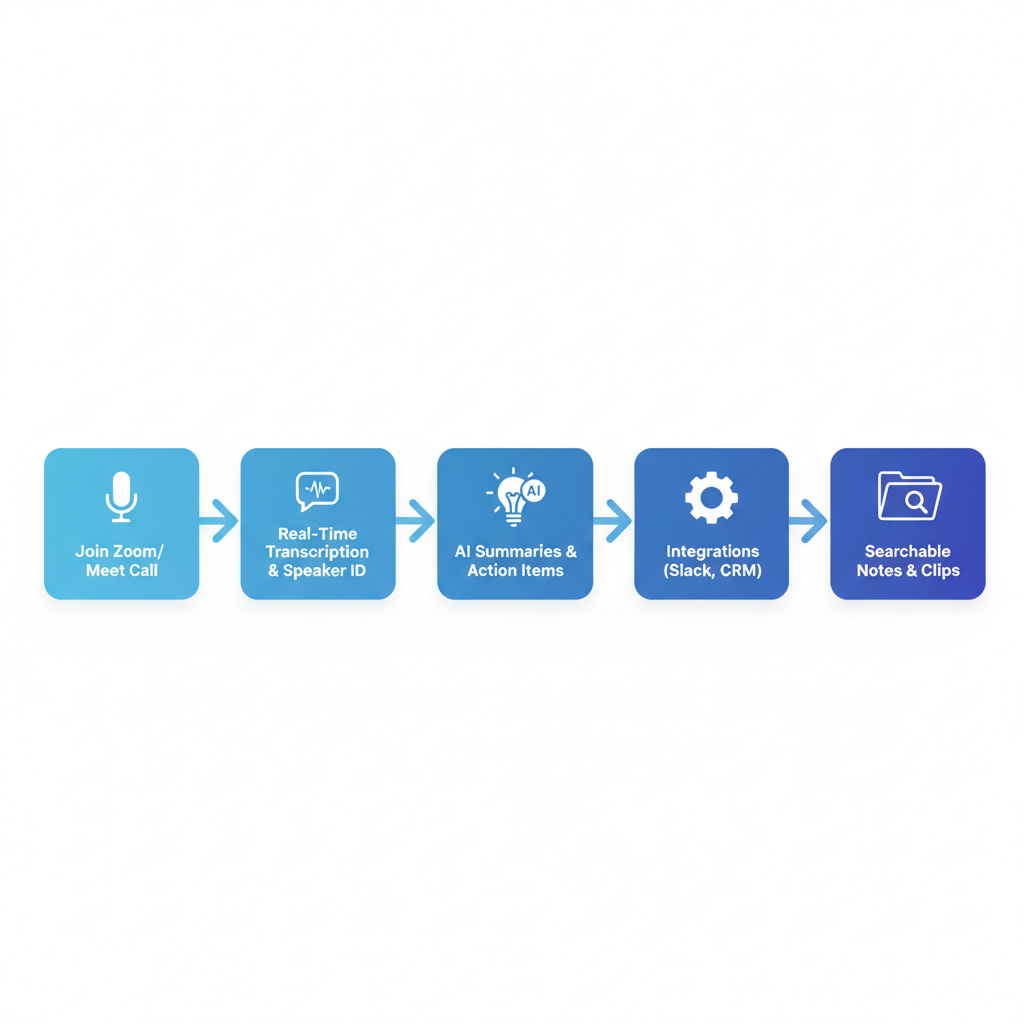
Fire it up during a live Zoom or Teams call, and it transcribes in real time. Automated summaries pop out key points. Plus you get searchable notes. Collaboration shines here: share live, add comments, like Google Docs for meetings.
Pricing keeps it accessible. Free gives 300 minutes monthly (enough for solos). Pro at $10/user/month unlocks 1200 minutes and custom vocab. Business at $20/user/month adds team billing and advanced security. Integrations cover Zoom, Teams, Slack, Google Workspace. No brainer for most offices.
Pros? Real-time magic saves frantic note-taking. I love how it catches filler words to clean up quotes. Cons: Analytics are basic compared to rivals. No deep sentiment dives. Still, for busy teams chasing clean transcripts, Otter delivers.
Fireflies.ai: Beyond Notes with Smart Meeting Intelligence
Fireflies.ai steps it up, turning notes into actual intelligence. Accuracy hovers 90-95%, but it shines in noisy spots. Like open offices or spotty connections. Thanks to noise cancellation tweaks.
What sets it apart? AI extras. It pulls action items automatically. "John to follow up on Q3 budget." Runs sentiment analysis (was the vibe positive?). Lets you search transcripts like "discuss budget cuts." Imagine querying past calls for "competitor pricing." Game over for manual digging.
Pricing mirrors Otter: Free for basics, Pro $10/user/month for unlimited storage, Business $19/user/month with CRM syncs. Integrations? Over 40, including Salesforce, HubSpot, Jira. Slack bots drop summaries right into channels.
Pros include that conversational AI. Feels smart, not robotic. One sales team I know cut follow-up time by 40% with auto-tasks. Cons: Steeper curve to master all features. If you're not analytics-obsessed, it might overwhelm.
Tldv Review: Video-First AI for Collaborative Teams
Tldv flips the script to video-first, perfect if your meetings live on Zoom or Meet recordings. Accuracy lands 92-96% for video calls, with timestamps and clip magic.
Record, transcribe, then snip 30-second highlights to share async. Team libraries organize everything. Searchable, shareable folders for sales replays or onboarding. Summaries and speaker ID? Check. It's collaboration on steroids.
Pricing: Free for basics (unlimited meetings, 10 transcripts/month). Pro $20/user/month adds unlimited transcripts and custom domains. Enterprise is custom for big security needs. Integrations hit Zoom, Meet, Slack, Notion. Solid, but fewer than Fireflies.
Pros: Clip sharing boosts remote work. Picture emailing a "key moment" instead of full videos. Cons: Less optimized for audio-only calls, like podcasts. Video teams, though? This one's a gem.
Otter vs Fireflies vs Tldv: Head-to-Head AI Tools Comparison
Time for the showdown. Here's the head-to-head:
| Feature | Otter.ai | Fireflies.ai | Tldv |
|---|---|---|---|
| Transcription Accuracy | Up to 95% | 90-95% (strong in noise) | 92-96% (video calls) |
| Pricing | Free (300 min/mo), Pro $10/mo (1200 min), Business $20/mo | Free (basics), Pro $10/mo (unlimited storage), Business $19/mo | Free (unlimited meetings/10 trans), Pro $20/mo (unlimited trans), Enterprise custom |
| Integrations | Zoom, Teams, Slack, Google Workspace | 40+ (Salesforce, HubSpot, Jira, Slack) | Zoom, Meet, Slack, Notion |
| Multilingual | 20+ languages, real-time translation previews | 20+ languages | 20+ languages |
| User Ratings | 4.5/5 (G2) | 4.7/5 (Capterra) | 4.6/5 |
| Unique Features | Real-time transcribe, basic summaries, live collaboration | AI action items, sentiment analysis, smart search | Timestamped clips, team libraries, async sharing |
| Best For | Solos/accuracy | Insights/CRM | Video collab |
Understanding these distinctions. Accuracy, pricing, integrations. Means picking what fits your grind.
Real User Reviews: What Business Pros Say About These AI Tools
Don't just take my word. Business folks rave and gripe on G2, Capterra.
Otter scores 4.5/5 on G2.
"Saves me 2 hours a week transcribing client calls."
A marketing manager
"Speaker ID transformed our all-hands."
Fireflies? 4.7/5 Capterra.
"Analytics turned vague follow-ups into wins. Tracked sentiment across 50 calls."
A sales rep
But glitches irk: "Drops in super-noisy rooms."
Tldv averages 4.6/5.
"Clips made async feedback effortless. Shared a demo highlight, closed deal faster."
A product lead
Pain point: "Privacy settings tricky at first."
Common threads? All ease meeting hell, but privacy worries pop up (data storage), and glitches hit accents occasionally. Real talk builds trust.
How to Choose the Best AI Meeting Note Taker for Your Business
Picking feels easy now, right? Match your needs.
Solos or accuracy hawks? Otter. Crave analytics and CRM firepower? Fireflies. Video clips and team shares? Tldv.
Start with free trials. Record three real meetings, compare transcripts side-by-side. Check migration: All import calendars easily. For growth, eye scalability. Otter and Fireflies tier up smooth. Tldv shines enterprise.
Test integrations in your flow. Budget under $15/user? Stick Otter Pro. Your workflow dictates the winner.
In this ultimate AI tools buyer's guide, Otter.ai wins for simplicity, Fireflies.ai for insights, and Tldv for collaboration. Pick based on your workflow. Start your free trial today to transform meetings into actionable productivity. Your next call could be the one that clicks. Go try it.
Related Articles


