
Claude Cowork vs Zapier: Best AI Automation Tools Comparison for Business Productivity 2026
Discover the ultimate AI tools comparison between Claude Cowork and Zapier—including features, pricing breakdowns, and real use cases to find the best AI automation tools for your business workflows.

Claude Cowork vs Zapier: Best AI Automation Tools Comparison for Business Productivity 2026
Most teams burn through time and money picking AI automation tools that never quite fit their day-to-day work. They skip the real comparison and end up with something that sounds smart on paper but stalls in practice. This side-by-side look at Claude Cowork and Zapier breaks down how each one actually behaves in real workflows, what they cost, and where they fall short so you can match the right one to your needs.
Claude Cowork vs Zapier: How Their Core Approaches Differ
Claude Cowork and Zapier solve two different problems. Claude Cowork handles work that needs real thinking: analyzing documents, weighing options, and producing thoughtful output over several steps. It leans on strong Claude models to keep context alive across long stretches of a project.
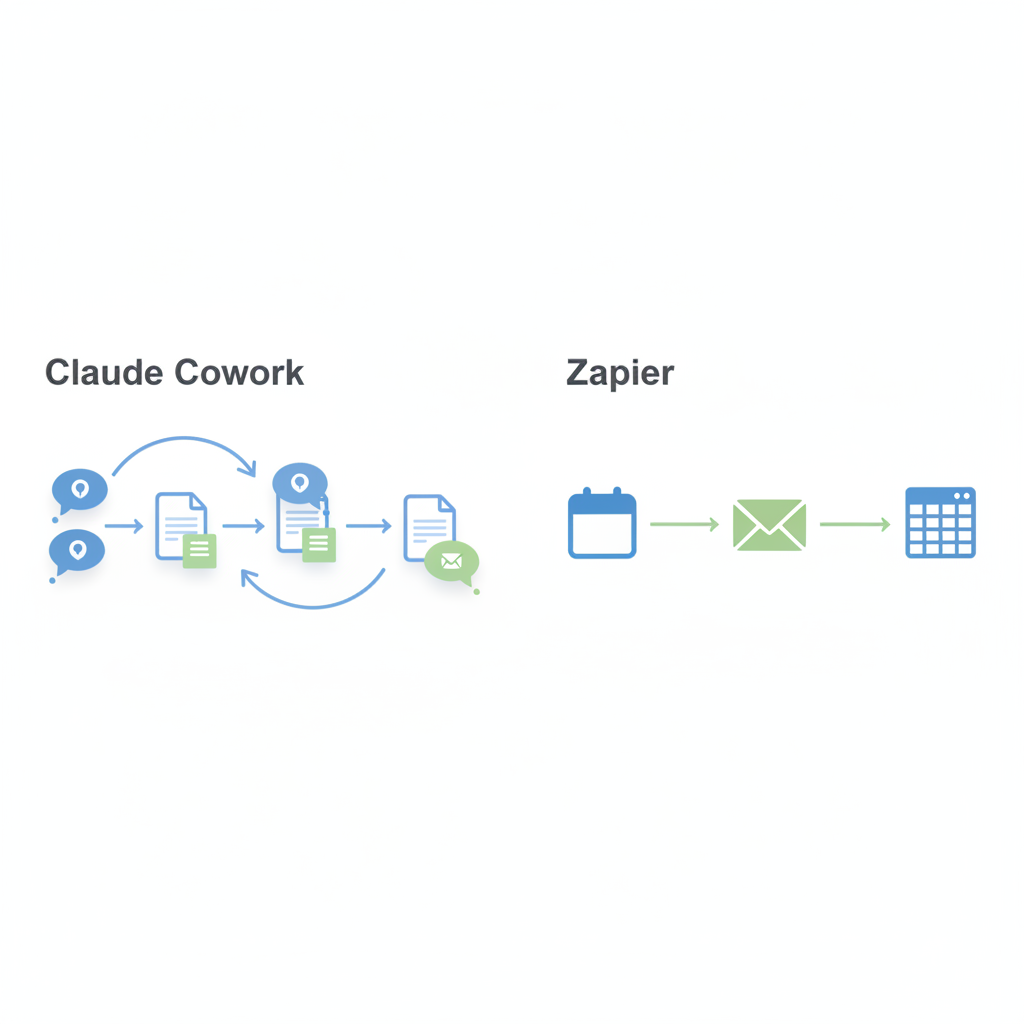
Zapier works the other way. It connects apps with simple if-then rules and moves data or triggers actions without much thought. That makes it reliable for repetitive handoffs where the logic stays fixed.
Pick the wrong one and you waste effort. Use Claude Cowork when the job calls for judgment or fresh content. Stick with Zapier when you just need steady movement between tools. Knowing the split keeps you from forcing either platform into a job it was never built for.
What Makes Claude Cowork Strong for Deeper AI Work
Claude Cowork stands out on tasks that need ongoing reasoning. It can review information, make decisions, and turn out clear results with less hand-holding. Drafting reports, pulling insights from big piles of text, or running through research and refinement loops all play to its strengths.
The connection to Claude models helps it remember earlier steps better than basic automation platforms. That matters when a project runs through research, writing, checking, and polishing. Pro users get roughly 45 short messages every five hours, while the higher plans multiply that limit for heavier days.
Right now it runs on macOS, with Windows support still on the way. These pieces add up to a tool that fits intellectual work better than simple data shuffling.
Zapier’s Reach With App Connections and Simple Rules
Zapier keeps its spot because it links more than 7,000 apps through basic triggers and actions. Set the connection once and it runs whenever the condition shows up. That covers marketing, finance, support, and operations without needing custom code every time.
Non-technical users can get started fast. A trigger fires, an action follows, and basic filters keep things tidy. The Starter plan gives 750 tasks a month for $19, while Pro at $49 adds more features and room to grow.
This setup shines for steady, low-complexity jobs where the main goal is moving information without extra thinking.
AI Tools Pricing Comparison: What You Actually Pay
The pricing models line up with how each tool gets used. Claude Cowork charges $20 per user per month on Pro. Max 5x and Max 20x plans run $100 and $200 for bigger message allowances. Teams of five to 75 people start at $20 per seat. You pay more mainly to unlock extra reasoning capacity.
Zapier stays task-based. Starter sits at $19 for 750 tasks, Pro at $49 unlocks extras and higher limits. Teams that run lots of quick transfers often come out ahead on Zapier. Those with fewer but heavier AI projects usually see better value from Claude Cowork’s tiers.
| Plan | Claude Cowork | Zapier |
|---|---|---|
| Starter / Pro | $20/user/mo (Pro) | $19/mo (Starter, 750 tasks) |
| Mid / Pro | $100/user/mo (Max 5x) | $49/mo (Pro) |
| High / Advanced | $200/user/mo (Max 20x) | Varies by volume |
Which One Wins on Complex, AI-Driven Tasks?
Claude Cowork pulls ahead when the work needs depth. It can analyze, keep context, and create original material that Zapier simply cannot touch. Zapier has no built-in reasoning or content creation, so it stays limited to moving data along fixed paths.
Plain data movement stays quicker and cheaper on Zapier. The moment interpretation or adaptive responses enter the picture, Claude Cowork becomes the practical pick. Plenty of teams run both instead of choosing one.
The real test is the type of bottleneck you face. High volume of routine connections favors Zapier’s scale. Quality of thinking and output favors Claude Cowork’s strengths.
Limitations Worth Weighing Before You Commit
Claude Cowork connects to fewer apps than Zapier, so direct integrations stay narrower. The learning curve can feel steeper if your team expects pure rule-based flows. Usage caps on the lower plan force some planning on busy weeks.
Zapier offers no native reasoning or smart content creation. Anything that needs judgment still requires a person or another tool. Extending it often means adding code or extra services.
Most organizations end up keeping both or looking at hybrid setups rather than betting everything on one platform. The best AI automation tools for business are the ones that line up with how your team actually works. Claude Cowork handles the thinking-heavy side. Zapier handles the steady connections. Match them to your real bottlenecks and productivity improves without the usual trial-and-error loop.
Related Articles

Sora 2 vs Kling 3.0 vs Runway: AI Video Tools Pricing Comparison 2026
July 8, 2026

Claude Cowork vs Zapier vs Bardeen: AI Automation Tools Comparison for Business Productivity 2026
July 1, 2026

Best AI Automation Tools for Marketing 2026: Jasper vs AdCreative.ai vs Simplified Pricing Comparison
June 9, 2026

ElevenLabs AI Tools Reviews: Voice Cloning Pricing vs Inworld and MiniMax
March 31, 2026